Critical systems need proof, not promises.

When your organization depends on digital platforms, verbal assurance is not enough.

You need clear answers to questions such as:
  • Is our system backed up?
  • Can it be restored?
  • Where is our data hosted?
  • Who can access our assurance records?
  • What evidence can we give auditors?
  • What is covered under application support?
  • What is covered under cloud continuity?
  • What is optional or separately billable?
  • Which users, auditors and approvers have access?
  • How much SMS, email, storage or other quota have we used?

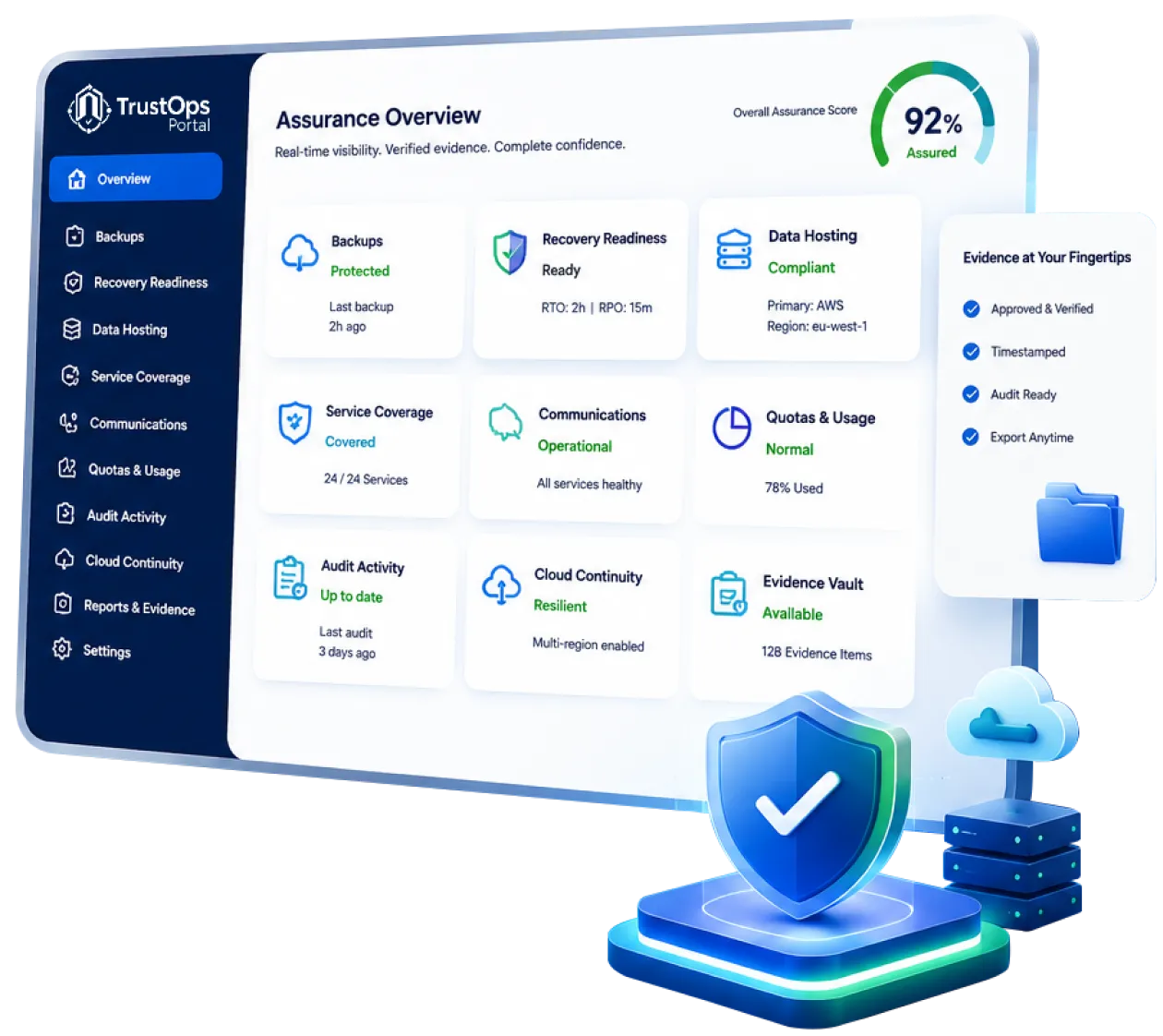
TrustOps Portal gives your organization one controlled place to access approved assurance evidence before there is pressure, panic or audit escalation.

One place to see your assurance, continuity and service coverage.

Authorized users can view or request:
  • Backup Assurance Reports
  • Recovery Test Certificates
  • Data Hosting Location Statements
  • Access Control Statements
  • Tenant Isolation Statements
  • Audit Evidence Packs
  • Service Coverage Statements
  • Cloud Continuity Records
  • Secure Data Copy Requests
  • Tenant Data Export Requests
  • Communication Usage Logs
  • SMS, email, storage and service quota usage
  • Auditor Access Records
  • Approved Requests and Approvals

TrustOps is not a raw database access portal. It is a controlled evidence, assurance and continuity portal.

Cloud systems do not run on support alone.

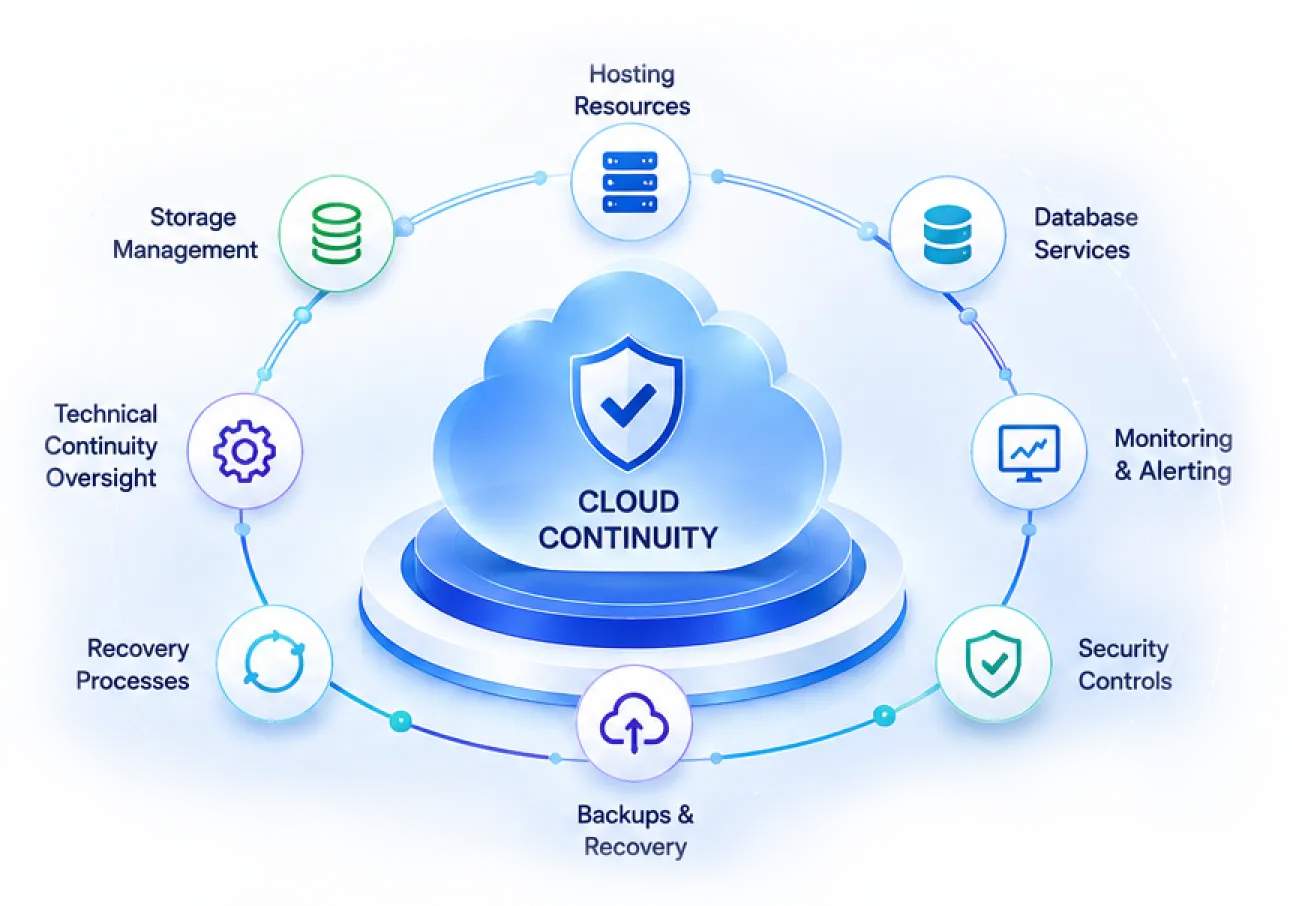
Behind every reliable ERP, SaaS or enterprise platform are hosting resources, database services, monitoring, backups, security controls, storage, recovery processes and technical continuity oversight.

Application support helps users use the system.

Cloud continuity keeps the system hosted, monitored, backed up, secured, recoverable and properly evidenced.

That is why TrustOps separates application support from cloud continuity, CICS, hosting assurance and optional enhanced services. This distinction is already central to the CICS model, where annual support covers application support while CICS covers hosting, monitoring, backups, security and infrastructure management.

Cloud Continuity overview

Choose the right continuity starting point.

Every organization is different. Some use shared SaaS. Others require dedicated databases, dedicated infrastructure, hybrid deployment, legacy advisory or enhanced audit assurance.

TrustOps helps classify your environment before the final quote is prepared.

Continuity
Plan
Essential
Cloud
Continuity
Operational
Cloud
Continuity
Enterprise
Cloud
Continuity
Premium
Dedicated
Assurance
Shared SaaS
Tenant
Assurance
Client-Hosted
/ Legacy
Advisory
Indicative Starting Point From
KES 30,000
/month
From
KES 50,000
/month
From
KES 80,000
/month
From
KES 150,000
/month
Based on subscription and assurance needs Assessment-based
Best For Smaller organizations, standard SaaS users, moderate usage, light audit needs Growing organizations, multi-branch teams, heavier usage, more integrations or storage Large organizations, high transaction volumes, critical workflows and stronger audit expectations Regulated, high-risk or enterprise clients needing enhanced isolation, dedicated resources, DR or special compliance evidence Clients on shared SaaS platforms requiring platform backup assurance, tenant isolation and controlled tenant export Organizations still running systems on own servers, local infrastructure or third-party hosting

Baseline protection for supported
cloud and SaaS environments.

Depending on your product, deployment model and active plan,
standard continuity may include:

  • Secure cloud hosting environment
  • Managed database environment
  • Baseline storage allocation
  • Automated backups
  • Backup monitoring
  • Infrastructure monitoring
  • Security hardening
  • Patch and platform reliability management
  • Performance monitoring
  • Continuity status records
  • TrustOps assurance visibility
  • Approved service coverage documentation

TrustOps helps your organization see what is active, what is included, what is optional and what requires separate approval.

For audits, recovery testing,
exports, storage growth and special assurance needs.

Some requests require additional CloudOps, compliance, legal,
finance or technical work.

Optional enhanced services may include
  • Custom audit evidence packs
  • Additional backup assurance reports
  • Recovery testing
  • Recovery test certificates
  • Secure data copy
  • Backup export where allowed
  • Tenant data export
  • Extended backup retention
  • Additional document or archive storage
  • Dedicated disaster recovery assessment
  • Cross-region or special backup arrangements
  • Data residency review
  • Custom auditor response letters
  • Technical auditor support sessions
  • Compliance evidence packs

These services are quoted based on scope, urgency, product complexity, deployment model and approval requirements. TrustOps Schedule already classifies optional services such as audit evidence, backup export, restore testing, extended retention, DR, data residency and special support as separately controlled services.

Not every system is hosted the same way. TrustOps makes this clear.

Dedicated Database Assurance

Dedicated Database Assurance

For products where the application is centrally managed but each client has an independent database.

Best for:

  • Enterprise ERP
  • Regulated institutions
  • Large operational systems
  • Clients needing client-specific backup assurance

May include:

  • Client-specific backup assurance
  • Client-specific recovery testing
  • Client-specific data hosting statement
  • Secure data copy where approved
  • Recovery evidence where a test has been performed
Client-friendly statement:
This product operates on a shared application/codebase with an independent client database. Backup assurance, restoration testing and continuity evidence are managed at the client database or environment level.
Shared SaaS Tenant Assurance

Shared SaaS Tenant Assurance

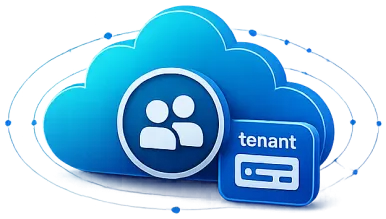
For products where multiple clients use a shared SaaS platform and data is logically separated at tenant level.

May include:

  • Platform backup assurance
  • Tenant isolation statement
  • Tenant-specific export where approved
  • Tenant-level recovery where technically feasible
  • Platform recovery evidence
  • Data hosting statement.
Important note:
Shared SaaS clients do not receive full raw platform database backups. Where required, TrustOps supports controlled tenant-specific export and tenant-level recovery procedures.
Dedicated Enterprise Assurance

Dedicated Enterprise Assurance

For clients requiring dedicated application, database, infrastructure, DR or special compliance arrangements.

May include:

  • Dedicated continuity records
  • Enhanced isolation
  • Advanced recovery evidence
  • Premium audit packs
  • Contracted RTO/RPO where agreed
  • Dedicated DR documentation
Client-Hosted / Legacy Advisory

Client-Hosted / Legacy Advisory

For systems still hosted on client-owned servers, local infrastructure, client cloud accounts or third-party hosting.

Client-friendly statement:

This product is hosted on client-owned or client-controlled infrastructure. Server hosting, local backups, infrastructure security, disaster recovery and infrastructure availability remain the client’s responsibility unless separately contracted.

The TrustOps policy and schedules already support dedicated database, shared SaaS, dedicated enterprise and client-hosted legacy deployment models.

One assurance layer across ABNO and Lolla products.

TrustOps Portal is designed to support products across ABNO and Lolla, including:

ABNO Products
Lolla Products

Some clients may use multiple products across ABNO and Lolla. TrustOps gives them one organization-level view of service coverage, assurance, quotas, communication usage, audit activity and evidence.

Clear answers for every responsible office.

For Executive Leadership

See whether your critical systems are covered, protected, monitored and audit-ready.

For ICT Teams

Access backup, hosting, recovery and continuity evidence without exposing cloud credentials or raw infrastructure access.

For Finance Teams

Understand active continuity plans, MRR status, CICS status, optional services, quota usage, add-ons and billing-related service coverage.

For Auditors

Access approved evidence in a controlled read-only Evidence Room.

For Compliance and Risk Teams

Track access, custody, data hosting, approvals, evidence status and assurance gaps.

For Operations Teams

See product coverage, service status, communication logs and pending requests.

Controlled access for active covered clients.

Active clients under an approved Cloud Continuity, CICS, SaaS Assurance, Enterprise Assurance or supported subscription arrangement may receive controlled TrustOps Portal access.

Authorized users may include:

  • Executive users
  • ICT users
  • Finance users
  • Auditors
  • Approvers
  • Read-only viewers
Access is role-based.

Each user sees only approved records for their organization.

TrustOps access may include:

  • Client Dashboard
  • My Products
  • Assurance Center
  • Evidence Room
  • Request Center
  • Service Coverage
  • Quotas and Usage
  • Communication Logs
  • Audit Activity
  • Access and Users
  • Auditor Access

Audit-ready evidence without exposing sensitive systems.

The Evidence Room provides controlled access to approved documents such as:

  • Backup Assurance Reports
  • Recovery Test Certificates
  • Data Hosting Location Statements
  • Access Control Statements
  • Tenant Isolation Statements
  • Service Coverage Statements
  • Cloud Continuity Summaries
  • Secure Data Copy Custody Records
  • Incident Closure Reports
  • Audit Evidence Packs

TrustOps does not expose raw database backups, cloud consoles, production credentials, backup storage, internal DevOps notes or other clients’ data. The TrustOps governance schedule defines this principle as one portal, role-based access, approved evidence only and full audit trail.

Know what has been allocated,
used and remains.

Where applicable, TrustOps helps clients view
  • SMS allocations
  • Email allocations
  • Storage allocations
  • AI credits
  • WhatsApp credits
  • Free product quota
  • Paid quota
  • Shared organization pool
  • Usage by product
  • Remaining balance
  • Expiry dates
  • Top-up history
  • Failed delivery logs

For products that send SMS, emails or other notifications, TrustOps may provide visibility into communication usage and delivery logs from supported platforms.

This helps management and finance understand actual usage instead of relying on scattered product reports.

Simple requests. Clear status.
Controlled approvals.

Through TrustOps, authorized users can request:

  • Backup Assurance Report
  • Recovery Test
  • Data Hosting Statement
  • Audit Evidence Pack
  • Secure Data Copy
  • Tenant Data Export
  • Tenant-Level Recovery
  • Extended Retention
  • Auditor Access
  • Continuity Review
  • Dedicated DR Assessment
  • Compliance Evidence Pack

Every request is tracked through clear statuses:

Submitted Under Review Awaiting Approval In Progress Evidence Prepared Completed

Sensitive requests require authorization, approval, encryption, secure transfer and custody controls.

TrustOps gives visibility
without exposing
dangerous access.

TrustOps Portal does not expose:

  • Cloud console access
  • Production database credentials
  • Raw production database backups
  • Backup storage bucket access
  • Live database replica access
  • Internal devops scripts
  • Infrastructure secrets
  • Other clients’ data
  • Unapproved draft evidence
  • Uncontrolled backup downloads
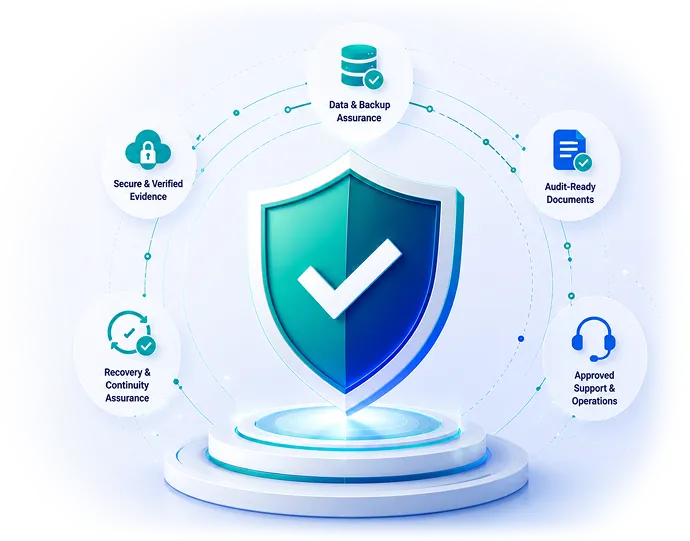
TrustOps visibility and controlled access illustration

Sensitive requests such as backup exports, tenant exports, secure data copies and recovery support follow controlled approval, encryption, access logging and custody procedures.

Get the right help through the right channel.

TrustOps Portal is for assurance, continuity, evidence, service coverage, quota visibility, access records and approved requests.

For product support issues, user assistance, access problems, training follow-ups or operational tickets, clients should use the official support channel provided by ABNO/Lolla, including Mteja360 where applicable.

If a client is unsure where to start, they may raise a support request and the team will guide them to the correct TrustOps workflow where needed.

Be ready before the audit.
Be confident before the
incident.

TrustOps Portal helps your leadership, ICT team, finance office and auditors access the assurance evidence they need clearly, securely and on time.

  • Understand your continuity coverage.
  • See your evidence.
  • Track your requests.
  • Know what needs attention.
TrustOps audit readiness illustration